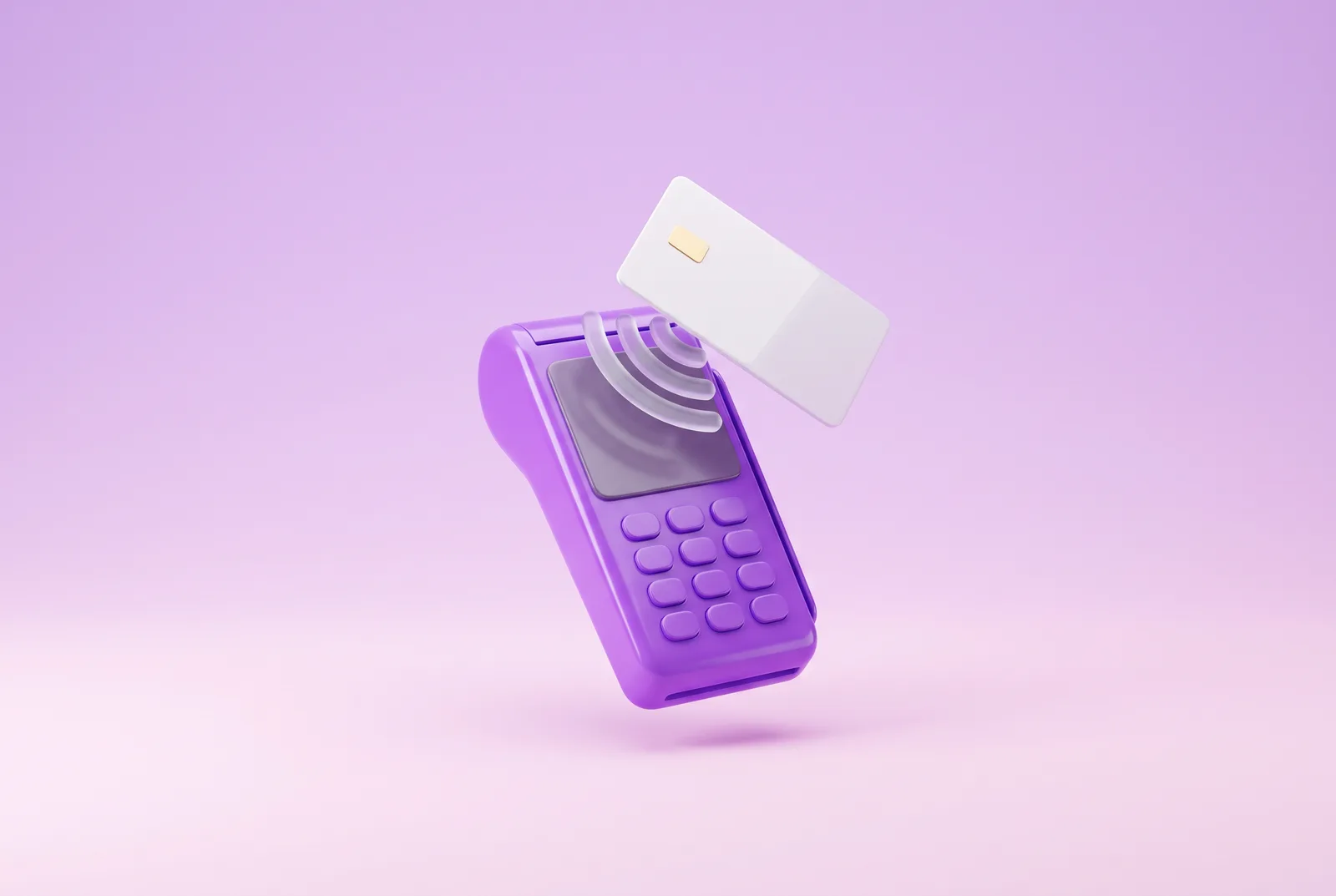
At the bar counter, the POS is the small terminal handed to you after your coffee. On the other side of the same counter, it is the device that turns a card into money on the business account. One object, two jobs. This guide explains how to use a POS in both roles: as a customer paying at the till, and as a shopkeeper or professional who accepts cards, phones and smartwatches.
It starts with what the abbreviation means and what happens during transactions. Then come the types of terminal, the right moves when paying and the routine of taking payments, through to costs, obligations and the 2026 rules on receipts.
In short:
- A POS (Point of Sale) is the terminal that accepts payments by card, smartphone and smartwatch and connects them to the card networks.
- To pay, you hold the card near the reader, or insert it and type your PIN. In contactless mode the PIN is normally not needed up to €50 per payment.
- To take a payment, the merchant keys in the amount, the customer pays and the money reaches the business account on the provider’s timetable.
- Shopkeepers and professionals in Italy must accept electronic payments, and from 2026 the POS has to be paired with the electronic cash register.
- The POS slip does not replace the till receipt.
What a POS is and what it means
What is a POS, in practice? It is the terminal that accepts payments with debit, credit and prepaid cards and with digital wallets, and connects the shop to the card networks. The definition of a POS goes beyond the object, though. Behind every terminal works a card-acceptance provider, called the acquirer, which carries the money through to the merchant’s account. Many Italians still call it a bank POS, because for years almost only banks installed one. Today payment institutions and fintechs offer them too.
What the acronym POS stands for
POS, sometimes written P.O.S., is the acronym of Point of Sale. Originally the term meant the place where purchases happen, the shop till. In Italy it moved to the device itself, so that today what POS means is best explained with a gesture: the reader you hold the card against. The plural is simply POS terminals, written in capitals.
What a POS is for
What a POS is for depends on which side of the counter you look at it from. For the customer it is a way to pay without cash, by card or by phone. For the business the advantages are concrete. The POS is an electronic payment system: it records every transaction, credits it to the account and leaves a trail ready for the bookkeeping. No change to count.
How a POS works
How a POS works becomes clear if you follow a card from the counter to the account. Every payment goes through four steps, whether it is a coffee or a thousand-euro invoice. The way a POS works does not change between card, smartphone and smartwatch: only the way the data reaches the terminal changes.
POS payments are therefore two movements: the debit to the payer is almost immediate, while the merchant is credited on the dates set in the contract.
What happens during a transaction
A POS transaction takes a few seconds, and in those seconds the terminal talks to the acquirer, the acquirer to the card network, the network to the card issuer. When they all say yes, the display shows the payment as approved. When a payment does not go through, the reason is usually mundane: insufficient balance or credit limit, a mistyped PIN, an expired card, no connection. The message on the display names the cause, and a second attempt with another method settles it.
Card networks and accepted cards
Three kinds of card pass through a POS, and they differ in when the money leaves. Each one runs on a card network, the system that links issuers and acquirers. The most widespread POS networks include Visa, Mastercard, American Express and the Italian domestic network PagoBANCOMAT, but the list is not closed. A merchant who wants to accept credit cards on the POS finds the networks covered in the provider’s terms.
| Card type | Where the money comes from | When the charge shows |
|---|---|---|
| Debit | The account linked to the card | Usually the same day or the days after |
| Credit | A credit limit, repaid later | On the card statement, usually the following month |
| Prepaid | Credit loaded in advance | Straight away, on the card balance |
Types of POS terminal
The types of POS answer a practical question: where does the payment happen? At the till, at the table, on a courier’s van, on a website. Each situation has its terminal, and many businesses use more than one.
| Type | How it connects | Where it works best |
|---|---|---|
| Countertop POS | Network cable or Wi-Fi, mains power | Shops, pharmacies, supermarkets |
| Portable and mobile POS | Data SIM, Wi-Fi or Bluetooth with a smartphone | Restaurants, markets, deliveries |
| Virtual POS and payment links | Internet, no device at all | Online and remote sales |
| Smartphone as a POS | The phone’s NFC and the provider’s app | Small volumes and work on the move |
Countertop POS
A countertop POS stays on the counter, connected to the mains and to the network by cable or Wi-Fi. It is the classic terminal in shops and pharmacies, where the till does not move and customers arrive in a queue. It often talks to the cash register, so the amount reaches the physical POS without being typed twice.
Portable and mobile POS
A portable POS runs on a battery and connects through a data SIM or the venue’s Wi-Fi, so it follows the merchant to the table, the market stall or the customer’s door. The lightest version is the mobile POS: a small card reader paired with a phone over Bluetooth, with the provider’s app as its screen. For anyone taking payments away from the shop it is the natural choice.
Virtual POS and payment links
A virtual POS has no hardware: it accepts payments online, in a website checkout or inside management software. The payment link is its simplest form. The merchant creates an address with the amount, sends it by message or e-mail and the customer pays in the browser by card or wallet. Many providers also generate a QR code to show in the shop.
The smartphone as a POS
A phone can act as a POS too. With the provider’s app, a smartphone with NFC accepts contactless payments from cards, phones and smartwatches. On iPhone the feature is called Tap to Pay and arrived in Italy in May 2024, and Android offers similar solutions. Compatible models and terms vary from one provider to the next. For anyone who takes few payments and is always on the move, it is a good place to start.
How to use a POS to pay
On the customer side, a POS payment takes a few moves. The merchant keys in the amount and hands you the terminal. First look at the display: the figure should match the bill. Then choose how to pay with the POS, by contactless card, by card and PIN or by phone. The result arrives in a few seconds and the transaction shows in your banking app. Anyone wondering how to pay with a POS for the first time finds there is no hard part.
Paying with a contactless card
To pay at a POS without inserting the card you use contactless, marked by the wave symbol. To see where to hold the card on the POS, look for the same symbol on the display. Bring the card within a couple of centimetres and hold it still until the beep. Up to €50 per payment the PIN is normally not requested. European rules require it, however, after €150 spent without a PIN or, depending on the issuer, after five payments in a row, and the issuer may ask for it earlier.
Paying by inserting the card and typing the PIN
How do you insert a card into a POS? Chip facing up and towards the terminal, into the slot at the bottom or on the side, all the way in. The same rule applies to anyone wondering how to insert a bancomat card into a POS, because a debit card goes in the same way. Then the display asks for the PIN. Shield the keypad with your hand, type the digits and confirm with the green key. The card stays in until the terminal says to remove it. If the payment does not go through, repeat it or switch cards.
Paying with a smartphone or smartwatch
A phone or a watch pays like a contactless card, because it holds a digital version of the card. Apple Pay, Google Pay and Samsung Pay send the POS a substitute code in place of the real card number. You unlock the device with your face, fingerprint or passcode and hold it to the reader. Unlocking takes the place of the PIN, which is why the terminal normally does not ask for one even on larger amounts.
How to use a POS to take payments
On the other side of the counter, how to use a POS becomes a routine learnt on the first day. Every provider has its own menus, but the sequence is that of any till: open the day, take payments, close. Anyone wondering how to operate the POS of a new model finds a quick guide in the provider’s app. None of the steps needs technical skills.
Switching on and preparing the POS
How to switch on a POS depends on the model, but holding the power key for a few seconds almost always does it. On start-up the terminal checks its connection, and an icon shows whether it is on the network, on Wi-Fi or on the SIM. Two checks remain: the battery on portable models and the paper roll, or digital receipts switched on. With that done, the POS is ready.
Starting a payment step by step
How does a POS payment work for the person taking it? Four steps, the same on almost every terminal, are enough to learn how to use the POS.
Enter the figure on the terminal, or send it from the cash register if the two devices are connected. Check the decimals before confirming.
Turn the POS towards the customer. The display shows the amount, so the payer checks it before holding up a card, phone or watch.
The terminal processes the transaction in a few seconds. If the PIN prompt appears, give the customer privacy at the keypad.
Print the customer copy or send it digitally. The transaction goes straight into the day’s list of takings.
Slip, receipt and end-of-day closing
The POS slip and the till receipt, the scontrino, are two different documents. The first proves the card payment, the second is the documento commerciale that the electronic cash register transmits to the Agenzia delle Entrate, the Italian Revenue Agency. At the end of the day the terminal also produces a closing report with the total takings, useful for balancing the till.
Slips and receipts in 2026:
- The POS slip proves the payment, while the scontrino remains the tax document for the sale.
- From 2026, POS terminals used to collect sales takings must be paired with the cash register through the online service “Gestione collegamenti” on the Fatture e corrispettivi portal. The pairing is virtual, with no cables.
- Law No. 50/2026 lets businesses stop keeping paper POS slips when the account statement or the intermediary’s reports list the individual transactions and are kept.
POS payment on your statement: what it means
In the list of transactions the wording changes from bank to bank, but the meaning stays the same. “Pagamento POS” means a card purchase at a point of sale, usually with the date, the merchant’s name and the town. Anyone asking what a POS payment means on a statement is therefore looking at a card purchase, not a withdrawal. And “operazione POS eurozona”, what does it mean? That the payment took place in a country that uses the euro, with no currency exchange. The name may differ from the shop sign, because it is the company name registered with the provider.
POS and bancomat: what is the difference
In everyday Italian people say “I’ll pay with the bancomat” even when paying at a POS. The two words mean different things, though. The POS is the shop’s terminal. The bancomat, in common use, is the debit card linked to the account and, strictly speaking, the brand of the domestic network: Bancomat for cash withdrawals and PagoBANCOMAT for payments in shops. A bancomat card at a POS is therefore a debit card using that network, or an international one if the card is linked to it too.
How much it costs to accept POS payments
For the payer the POS costs nothing, because the fees are paid by the merchant. On consumer cards the law does not allow a surcharge to be added for the customer. For the merchant the cost comes from three items, which each provider combines in its own way.
The three cost items:
- The device: a one-off purchase, a monthly rental or a terminal included, sometimes with installation.
- The fee: a fixed monthly charge for the service, which some offers do not have.
- The transaction fee: a percentage of the amount, sometimes plus a fixed part, which varies with the card type and the network.
Rates and terms change often, so a comparison only holds on your own numbers: monthly takings, average sale, share of foreign cards. A slightly higher fee with no monthly charge can suit a business that takes little. With high volumes, the percentage matters most.
The POS obligation for shopkeepers and professionals
In Italy, shopkeepers, craftspeople and professionals who sell goods or services must accept payments with at least one debit card and one credit card, as well as electronic money. The obligation comes from Article 15 of Decree-Law 179/2012 and applies to any amount, even a coffee. The only exception is an objective technical impossibility, such as a fault in the terminal or the line. That is why many businesses display the sign “si accettano pagamenti con POS”, POS payments accepted, at the door, and customers know straight away that a card is fine.

Security of POS payments
Paying by card at a POS is designed to protect both sides. The chip generates a different code for each transaction, contactless only works within a few centimetres and digital wallets send a substitute code in place of the card number. The payer needs just four habits:
Getting paid without a POS: payment links
Not every sale goes across a counter. A freelancer closing a quote over the phone or a shop selling on Instagram often has no need for a terminal. With Vivid payment links, once card payments are enabled on the account, you create the link in the app by choosing the amount and the receiving account. You send it by e-mail or WhatsApp, or show it as a QR code, and the customer pays by card or digital wallet in the browser.
The takings land in the Vivid business account, the same one that holds your cards, sub-accounts and F24 payments. For sales in the shop, the app also lets you order the Vivid POS terminal.
Get paid in the shop with the Vivid POS terminal
You order the terminal in the app, and it accepts contactless cards and digital wallets. All takings, payment links included, land in the Vivid business account.
Frequently asked questions
Do you get a till receipt when paying by POS?
Yes. The POS slip only proves the card payment and does not replace the scontrino, the documento commerciale issued by the register. With the customer’s consent the receipt can also be sent digitally.
Who pays the POS fees?
The fees are paid by the merchant, to its own POS service provider. The customer pays only the purchase amount: on consumer cards the rules do not allow a surcharge for paying electronically.
What does POS mean in Italian?
POS stands for Point of Sale, in Italian punto vendita. The term used to mean the place of purchase and today mostly means the terminal for card payments. That is the meaning of POS you find on shop signs and statements in Italy.
Is it spelt POS or POSS?
The correct form is POS, with a single S, because it is the abbreviation of Point of Sale. POSS is a very common typo: anyone searching for “poss pagamento”, “poss carta” or “poss bancomat” is looking for the card terminal.
How do you trace a payment made at a POS?
You need the POS slip, if it was kept, the card statement and the transaction code. The code appears on both together with the date, time and amount, and identifies the transaction.
Do you need internet to use a POS?
Yes, because the terminal has to talk to the card network to authorise the payment. Countertop terminals use a network cable or Wi-Fi, portable ones a data SIM, mobile POS readers the smartphone’s connection. Using a POS with no signal is normally not possible, and the payment is repeated once the line is back.
Note: the content of this blog is for information only and does not constitute legal, tax or financial advice. Obligations, contactless limits, tax rules and fees change over time: official sources and each provider’s terms prevail. Vivid Money S.A. is an electronic money institution supervised by the CSSF. The trademarks and product names mentioned belong to their respective owners.