Open beta early access

Custom roles

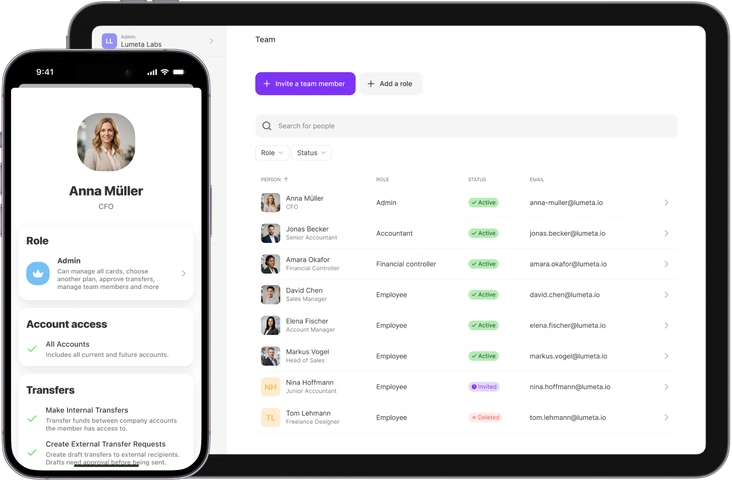
Not every employee needs full access. Pick what a person can do and which accounts they can see, one checkbox at a time. Everything you leave unticked, they simply can’t do.
  • Each account in a role is set to full access, view-only or hidden
  • Permissions are ticked one by one: move money between accounts, send transfers, issue cards, trade assets
  • One role can be assigned to any number of members
Custom roles
  • Regulated by the CSSF, Luxembourg
  • Client funds held segregated
  • Protected beyond €100,000
  • Trusted by 60,000+ companies

Three examples of custom roles

Vivid gives you four ready-made roles you can’t edit: Owner, Admin, Assistant and Employee. Anything more specific, you build yourself — pick the permissions, pick the accounts. Here are three roles teams set up most often.

CFO

CFO

Full access to all money and investment accounts. Can approve and send transfers, trade investment assets, issue and manage all team cards.

Permissions

  • Full access to every money & investment account
  • Approve & send transfers
  • Issue and manage all team cards
Accountant

Accountant

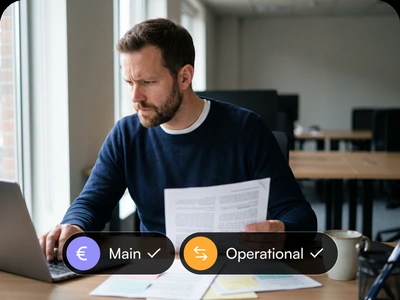
Full access to Main and Operational accounts. Can create external transfer requests. Approving, sending and investment access are off.

Permissions

  • Full access to Main & Operational accounts
  • Request external transfers as drafts
  • No approve/send, no investment access
Travel manager

Travel manager

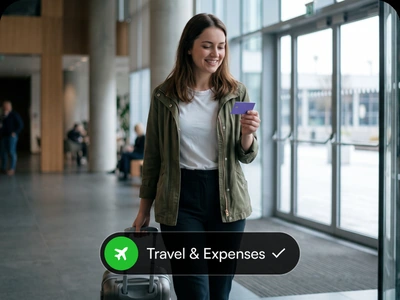
Full access to the Travel & Expenses account. Can issue, block and manage cards on it. Main, Operational and investment accounts are hidden.

Permissions

  • Full access to Travel & Expenses only
  • Issue, block & manage team cards
  • Main, operational & investment hidden

How a role is configured

Switch on the permissions a role needs

Switch on the permissions a role needs

A new role starts with every permission off. Switch on the ones the role needs: request transfers, issue own cards, approve and send transfers, trade investment assets.
  • Any mix of permissions and account scope
  • One role can be assigned to any number of members
Choose the accounts a role has access to

Choose the accounts a role has access to

Permissions apply only to the accounts selected in the role. “All accounts” also covers accounts opened later.
Edit a role after it is assigned

Edit a role after it is assigned

Editing a role updates access for every member assigned to it. New permissions apply from the member’s next action, with no re-invite.
  • Actions the role no longer allows disappear from the app
  • Applies to all members with this role

Typical configurations

  • Accounting without send rights

    Accountants get view and reconcile access to the accounts they work with, plus permission to create payment requests. Approving and sending are off.
  • Investment access without operational accounts

    The role covers investment accounts only. Operational accounts stay hidden.
  • Card management without account access

    Travel and office managers get the Travel & Expenses account and its cards. Main and operational accounts stay hidden.

Open a business account

Country
Business type
Legal entity type
Please review our website to understand the scope of our services and our Privacy notice for the use and handling of your data.

How funds are held

safety.title

Safely stored

Your funds are placed in assets like deposits with the Central Bank of Luxembourg and high-quality Qualifying Money Market Funds (QMMFs), managed by BlackRock and others. Unlike traditional banks, we don’t use client funds for risky loans.

Overseen by European financial authorities

All our services are provided by the Vivid Money group: Vivid Money SA is regulated by the Commission de Surveillance du Secteur Financier (CSSF) of Luxembourg and Vivid Money B.V. is regulated by the Dutch Authority for Financial Markets (AFM).

Secured against our insolvency

Your funds are kept separate from our own. In the unlikely event of Vivid Money SA or Vivid Money B.V. becoming insolvent, our customers' money remains safe — even beyond €100,000. The funds in your account are yours, and yours alone.
Superior payment security

Superior payment security

We comply with the Payment Card Industry Data Security Standards to protect your payment information.

2-step authentication

2-step authentication

With 3D Secure and two-step authentication we ensure no payment is made without your authorisation.

GDPR compliance

GDPR compliance

Our servers are securely hosted in the European Union, ensuring full compliance with GDPR regulations.

Questions about roles

  • How is a custom role different from the standard roles?

    Standard roles (Owner, Admin, Employee…) stay exactly as they are and can’t be edited. Custom roles are yours to build: any combination of permissions, plus a per-account scope. Owners, Admins and anyone with “Add and remove team members” can create, edit, delete and assign them.
  • In the first version, each account a role can reach is fully accessible; everything else is completely hidden. What a person can actually do inside an accessible account is controlled by permissions — for example, they can draft external transfers without being able to approve and send them.
  • It simply drops out of the accessible-accounts list for every role that referenced it — no cleanup flow, no dangling permissions. New money accounts default to “no access” for custom roles, and to full access for Owner and Admin.